
An HTTP 403 between n8n and the WordPress REST API does not identify the component that rejected the request. WordPress can return 403 after authenticating a user who lacks permission, a security plugin or web server can reject the request at the origin, and Cloudflare can block or challenge it before WordPress sees it. The fastest fix is therefore not to rotate credentials or weaken the firewall at random. It is to identify the layer first.
This guide gives you a repeatable diagnostic sequence for an n8n workflow calling a WordPress site through Cloudflare. You will collect one failing response, separate edge-generated responses from origin responses, verify WordPress Application Password authentication, use Cloudflare Security Events to identify the exact security product, and apply the narrowest correction that the evidence supports.
What a 403 tells you—and what it does not
A 403 means the request was understood but refused. It does not prove that the username or password is wrong, and it does not prove that Cloudflare blocked n8n. Treat the status as the beginning of the investigation.
| Evidence | Most likely layer | Next check |
|---|---|---|
| Cloudflare-branded HTML error page | Cloudflare edge | Search Security Events for the same time, path, IP, and User-Agent |
| Unbranded HTML 403 | Origin web server or security plugin | Inspect origin logs and WordPress security-plugin events |
WordPress-style JSON with code, message, and data.status |
WordPress application layer | Check authentication and the user capability required by the endpoint |
| 401 from the authenticated probe | Authentication was not accepted | Check username, Application Password, HTTPS, and whether a proxy stripped Authorization |
| 403 after WordPress identifies the user | Authorization or an application-level restriction | Check role/capability and plugin policy |
Cloudflare documents an especially useful distinction: a 403 page without Cloudflare branding is returned by the origin server, not generated by Cloudflare. Also remember that a CF-Ray header alone does not prove the edge generated the error. Proxied origin responses can still carry Cloudflare headers.
Step 1: capture one complete failing response
Start with the exact method and path that fail in n8n. Record the UTC timestamp, hostname, REST path, response status, response Content-Type, a short sanitized response body, CF-Ray, the source IP seen by Cloudflare, and the User-Agent. Do not copy an Application Password, Basic Auth header, cookie, nonce, or bearer token into logs or screenshots.
First confirm that the public REST API index is reachable:
curl -i https://example.com/wp-json/Then test authentication with a read-only identity request over HTTPS. WordPress documents Application Passwords for external REST API clients and accepts them through HTTP Basic Authentication:
WP="https://example.com"
curl -i --user "USERNAME:APPLICATION_PASSWORD" \
  "$WP/wp-json/wp/v2/users/me?context=edit"
Use a newly issued per-integration Application Password for the test, not the user’s normal WordPress login password. Run the command in a controlled shell because credentials supplied on a command line may be retained by shell history or visible to local processes. Revoke the temporary password after diagnosis if it is no longer needed.
Compare the cURL result with n8n using the same endpoint and credential. If cURL succeeds from one network but n8n fails from its server, you now have evidence that request source, headers, or an edge/origin policy matters. If both fail with the same WordPress JSON response, investigate the WordPress side first.
Step 2: verify WordPress authentication before changing Cloudflare
Application Passwords are separate, individually revocable credentials tied to a WordPress user. WordPress recommends HTTPS and lets external REST clients send the WordPress username plus the generated Application Password with Basic Auth. Check these items in order:
- HTTPS: use an
https://endpoint and confirm WordPress recognizes the site as HTTPS. - Correct username: send the WordPress login name, not an email alias unless that login is the actual username accepted by the site.
- Application Password: use the generated integration credential, not the main interactive-login password.
- Authorization header: verify that the reverse proxy and origin web server preserve the header. WordPress specifically notes that some clients or proxies can strip it.
- Feature availability: security plugins, must-use plugins, or custom filters can disable Application Passwords globally or for a user.
- User capability: the authenticated account must be allowed to perform the requested action, such as creating posts or uploading media.
WordPress core distinguishes authentication from authorization when it chooses an authorization error status: it uses 401 when the user is not logged in and 403 when the user is logged in. Custom plugins and upstream servers do not have to follow that exact convention, so always read the response body as well as the status.
Use a least-privilege automation user and one Application Password per integration. If the /users/me?context=edit probe works but a post or media request returns 403, the credential is being accepted. Focus next on the endpoint’s capability requirements, post status, ownership, security plugins, and any custom REST restrictions.
Step 3: determine whether Cloudflare acted on the request
Reproduce the failure once and note the precise time. In Cloudflare, open the zone’s Security Events view and narrow the window around that request. Filter by the API hostname and REST path, then refine with source IP, User-Agent, action, or Ray ID when available. The goal is to identify the service and rule that acted—not merely to notice that the domain uses Cloudflare.
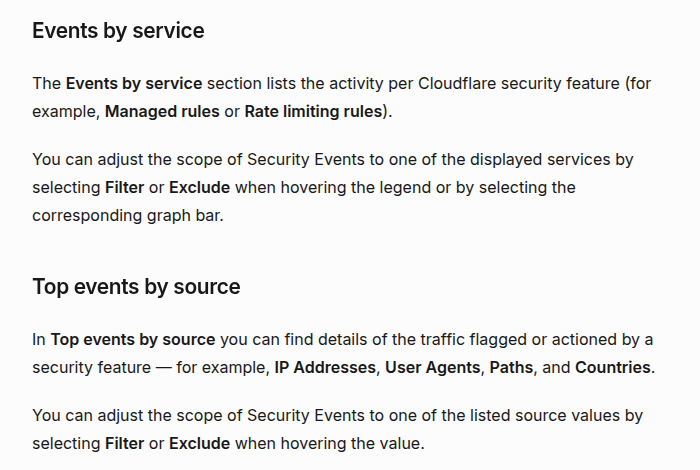
Cloudflare’s Security Events documentation separates Events by service from Top events by source. That distinction is useful here: the service tells you whether a managed WAF rule, rate-limiting rule, bot feature, User-Agent rule, or another security product acted; the source dimensions help match the event to the n8n request.
If you find no matching event, do not immediately conclude that Cloudflare was uninvolved. Security Events retention depends on the plan and results may be sampled. Narrow the time range, verify the hostname and path, and compare the response branding and body. If the response is unbranded and no edge event matches, origin logs become the better next source of evidence.
Step 4: apply a narrow Cloudflare correction
Only create an exception after a matching Security Event identifies the product or rule. Prefer conditions that bind the exception to the smallest trustworthy request surface, such as:
- the exact API hostname;
- a specific REST path or path prefix required by the integration;
- the stable egress IP of the n8n server, when available;
- the exact security rule or ruleset that produced the false positive;
- the HTTP methods the workflow actually uses.
Do not broadly allow all traffic to /wp-json/, disable the WAF for the entire domain, or trust a User-Agent string as the only security boundary. User-Agent values are easy to spoof. If a User-Agent Blocking rule is the confirmed cause, Cloudflare recommends using custom rules for more control; change the rule based on the matching event rather than assuming n8n’s default User-Agent is inherently blocked.
A Skip rule can bypass supported Cloudflare security phases for narrowly matched traffic. It should skip only the feature or rule required by the legitimate client. There is an important exception: Cloudflare’s free Bot Fight Mode runs outside the Ruleset Engine and cannot be bypassed with WAF Skip or Page Rules. Cloudflare recommends Super Bot Fight Mode when you need granular exceptions, or disabling Bot Fight Mode if it produces an unacceptable false positive and an upgrade is not appropriate.
Step 5: configure n8n so failures remain diagnosable
In the n8n HTTP Request node, use a stored credential rather than embedding a password in the URL, body, expression, or workflow JSON. During diagnosis, configure the node to preserve the HTTP status, response headers, and response body. Redact secrets before saving any execution data or sharing screenshots.
Build a small probe before testing the full publishing workflow:
- Call
GET /wp-json/without authentication. - Call
GET /wp-json/wp/v2/users/me?context=editwith the WordPress Application Password credential. - Only after the identity probe succeeds, test the smallest write operation required by the production workflow.
- Log a sanitized failure record containing time, method, path, status, content type, WordPress error code when present, and
CF-Ray. - Stop the publish path on an authentication or authorization failure. Do not retry a deterministic 401/403 in a tight loop.
This isolates credential transport from post/media permissions and from the rest of the automation. It also gives you a request that is easy to correlate with Cloudflare and origin logs.
A practical decision tree
- Is the response Cloudflare-branded? If yes, correlate it with Security Events. If no, inspect the JSON or HTML body and origin logs.
- Does the unauthenticated REST index load? If no, check routing, REST restrictions, and edge/origin policy before credentials.
- Does
/users/me?context=editsucceed with an Application Password? If no, fix HTTPS, username, credential, header forwarding, or feature availability. - Does identity succeed but the target endpoint fail? Check WordPress user capability, endpoint policy, object ownership/status, and security plugins.
- Does a matching Cloudflare event name a rule or service? Correct that specific control with the narrowest match. Do not create a general allow rule.
- Does the same request pass after the correction? Re-run the identity probe and the exact production method, then confirm the intended WordPress change rather than trusting the HTTP status alone.
Common fixes that create new problems
Changing the User-Agent first
This can hide the symptom without proving the cause. Change it only when Security Events or an origin rule shows that the User-Agent was the matching condition.
Using the administrator’s normal password
It increases exposure and makes revocation disruptive. Use a dedicated automation user and a separate Application Password that can be revoked without affecting interactive login.
Disabling Cloudflare protection for the whole REST API
A broad bypass expands the attack surface for every unauthenticated request. Match the integration as narrowly as your plan and network allow, and skip only the confirmed feature.
Retrying every 403
Authentication and policy failures are usually deterministic. Repeated retries add noise, can trigger rate limits, and make incident correlation harder. Retry transient transport failures separately from 401/403 policy failures.
Calling the workflow fixed after receiving 200
A successful identity probe proves authentication, not the full publishing operation. Verify the exact post or media action and inspect the resulting WordPress resource or public page.
Related DevelopWhale guides
- For WordPress media automation after authentication is working, see Automate WordPress Featured Images with n8n and the REST API.
- If the issue is stale content after a successful publish, see How to Purge Cloudflare Cache from n8n After WordPress Publishing.
Final verification checklist
- The failing response is saved without credentials or private payload data.
- The response body identifies Cloudflare, WordPress, or the origin layer as far as the evidence allows.
- The WordPress REST identity probe succeeds over HTTPS with a dedicated Application Password.
- The automation user has only the capabilities the workflow needs.
- The proxy and origin preserve the
Authorizationheader. - A matching Cloudflare Security Event identifies the product/rule before any exception is created.
- Any exception is limited by hostname, path, method, source, and specific security feature where possible.
- Bot Fight Mode limitations are handled explicitly rather than assuming a Skip rule will work.
- The exact n8n request succeeds after the change.
- The intended WordPress post or media result is verified independently.
The durable lesson is simple: diagnose the rejecting layer before changing the system. A 403 is useful evidence only when you preserve its body, headers, time, and request context. Once WordPress authentication, origin policy, and Cloudflare enforcement are tested separately, the correction becomes smaller, safer, and easier to verify.
Official references: WordPress REST API Authentication, WordPress Application Passwords, WordPress authorization status behavior, Cloudflare Error 403, Cloudflare Security Events, Cloudflare security feature interoperability, Cloudflare Skip rules, and Cloudflare Bot Fight Mode.