
A WordPress REST API call from n8n can look successful while doing the wrong thing. The HTTP Request node follows redirects by default, so a request sent to the wrong scheme, hostname, or path may be redirected before WordPress handles it. The final response can hide the original 301 or 302 and make an authentication, empty-body, or method error look like a WordPress problem.
The risky case is a write request. HTTP permits a user agent to change POST to GET after a 301 or 302. That behavior is not guaranteed for every client, but it is allowed and common enough that a production publisher should never depend on method preservation across those redirects. The durable fix is to call the final canonical REST endpoint directly, not to increase the redirect limit.
What you will fix
This guide shows how to reveal the first redirect, interpret its Location header, correct the n8n URL, and verify a WordPress write without creating duplicates. It deliberately separates redirect diagnosis from authentication and permission errors.
n8n POST
  |
  +-- 301/302 --> may become GET
  |
  +-- 307/308 --> method preserved
  |
  +-- canonical URL --> WordPress
Why 301 and 302 are dangerous for POST requests
RFC 9110 explains that historical client behavior converged on changing a redirected POST to GET after 301 Moved Permanently or 302 Found. The specification therefore allows that change. By contrast, 307 Temporary Redirect and 308 Permanent Redirect were created to unambiguously preserve the method.
| Status | Meaning | POST behavior to assume | Operator action |
|---|---|---|---|
| 301 | Permanent move | Client may change POST to GET | Replace the request URL with the Location target |
| 302 | Temporary move | Client may change POST to GET | Find and remove the redirect before production writes |
| 303 | See Other | Follow-up retrieval is GET or HEAD | Do not use as a transparent write redirect |
| 307 | Temporary, method-preserving | Method and body are preserved | Still call the intended endpoint directly |
| 308 | Permanent, method-preserving | Method and body are preserved | Update the stored endpoint to the new URL |
A redirect can also affect credentials. When a redirect changes the origin, clients may remove origin-specific fields such as Authorization or cookies. A redirect from one hostname to another can therefore turn a valid WordPress Application Password into an apparent authentication failure.
Step 1: expose the first response in n8n
Do not start by testing a production post creation request. First use a non-mutating request such as GET https://your-site.example/wp-json/ or a safe staging endpoint. In the HTTP Request node:
- Open Options and add Redirects.
- Turn redirect following off.
- Under Response, enable Include Response Headers and Status.
- Enable Never Error temporarily so that the workflow returns the 3xx response for inspection instead of stopping at the node.
- Run the node and record the status code and
Locationheader.
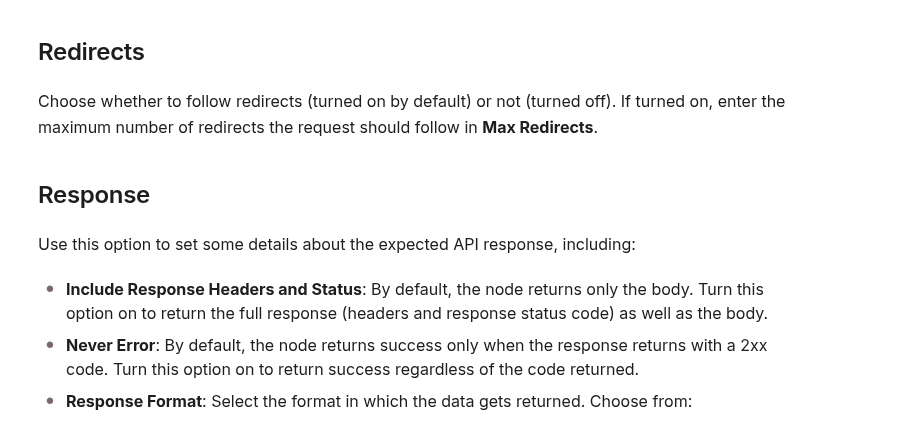
n8n documents that redirects are followed by default. It also documents the response options that return headers and status and allow non-2xx responses to remain inspectable. These settings turn an invisible redirect into explicit diagnostic data.
A diagnostic result should give you enough information to answer two questions:
{
  "statusCode": 301,
  "headers": {
    "location": "https://www.example.com/wp-json/"
  }
}- Which component generated the redirect?
- What exact URL should n8n call next time?
Step 2: classify the Location change
Compare the request URL with the Location value character by character. Most WordPress automation redirects fall into one of these groups.
HTTP to HTTPS
http://example.com/wp-json/wp/v2/posts
https://example.com/wp-json/wp/v2/posts
The n8n credential or node URL is using the insecure scheme. Replace it with the HTTPS endpoint. Do not keep the HTTP URL and rely on a permanent redirect for every authenticated write.
Non-www to www, or the reverse
https://example.com/wp-json/wp/v2/posts
https://www.example.com/wp-json/wp/v2/posts
Use the hostname configured as the WordPress site URL and used by the REST API discovery document. Even if the redirect preserves the request in one client version, a host change can alter credential forwarding and should be removed from the write path.
Path normalization
/wp-json/wp/v2/posts
/wp-json/wp/v2/posts/
Do not assume that a missing or extra trailing slash always causes a redirect. WordPress, the web server, a CDN, or a custom rule may normalize paths differently. Trust the observed Location header, then configure the exact final path directly.
Reverse-proxy scheme loop
If the browser uses HTTPS but WordPress repeatedly generates an HTTP URL, the origin may not know that TLS was terminated at a reverse proxy. WordPress determines secure requests through is_ssl(). Its official documentation notes that proxy deployments can require recognition of HTTP_X_FORWARDED_PROTO.
The correct fix is infrastructure-specific: the trusted proxy must set the forwarded scheme correctly, and WordPress must recognize it. Do not blindly trust a client-supplied forwarded header at the public edge. Configure this only where a known proxy controls the header.
Step 3: use the canonical WordPress endpoint
The WordPress REST API defines post creation as:
POST https://canonical.example/wp-json/wp/v2/postsUpdate every place that can reintroduce the old URL:
- the HTTP Request node URL;
- a shared n8n environment variable;
- a credential base URL;
- a sub-workflow input;
- a WordPress publisher configuration record;
- test and retry branches.
Keep one canonical base value and build routes from it. For example:
WP_BASE_URL=https://www.example.com
POST {{$env.WP_BASE_URL}}/wp-json/wp/v2/posts
After changing the URL, run the safe GET /wp-json/ diagnostic again with redirects disabled. The expected result is a direct non-redirect response. Only then move to an authenticated write test.
Step 4: validate with a controlled draft
Use a staging site when available. If you must validate on production, create a uniquely named draft, not a published post, and use a slug that can be searched before any retry.
{
  "title": "Redirect validation",
  "slug": "redirect-check-20261009",
  "status": "draft",
  "content": "<p>Endpoint check.</p>"
}
Require all of the following before calling the path healthy:
- the response is a direct 2xx result, not a followed 3xx chain;
- the JSON contains a positive WordPress post ID;
- the returned status is
draft; - the title and content match the sent payload;
- the slug is the expected value;
- a read-back request retrieves the same post.
If n8n reports a timeout or ambiguous error after sending the request, do not immediately retry the create operation. First query WordPress by the unique slug. The original request may have succeeded even if n8n missed the response. A blind retry can create a duplicate.
Step 5: restore strict failure behavior
Never Error is useful while inspecting 3xx responses, but it should not become a blanket production setting that treats every HTTP status as success. Once the canonical endpoint is fixed:
- turn redirect following off for write calls when your workflow should fail on any unexpected redirect;
- turn Never Error off so non-2xx responses fail visibly;
- keep response status and headers available when they improve logging;
- validate the WordPress response body instead of accepting any 2xx blindly;
- route 401/403, 429, and 5xx responses to separate retry or alert logic.
This creates a useful invariant: a production WordPress write must reach the intended endpoint directly. Any redirect becomes an operational signal rather than hidden transport behavior.
Common wrong fixes
Increasing Max Redirects
This only allows a longer chain. It does not guarantee that the method, body, or authorization survives. Redirect loops also become slower and harder to diagnose.
Forcing 307 or 308 everywhere
Method-preserving redirects are safer than 301/302 for writes, but they still leave n8n calling the wrong URL. They can also hide a proxy or site-URL misconfiguration. Prefer the final endpoint directly.
Changing WordPress authentication first
A redirect can remove or relocate credentials before WordPress evaluates them. Confirm the redirect chain before regenerating Application Passwords or changing user capabilities.
Testing with a live publish request
A diagnostic should not create public content. Use a safe read first, then a staging request or a uniquely identifiable draft with read-back verification.
Assuming the trailing slash is always the cause
The redirect source might be HTTPS enforcement, host canonicalization, a CDN rule, WordPress site settings, or reverse-proxy scheme detection. Read the actual Location header instead of guessing.
Production checklist
- Call the HTTPS canonical hostname directly.
- Disable redirect following while diagnosing.
- Capture status and the
Locationheader. - Treat 301/302 as unsafe for transparent POST forwarding.
- Remember that 307/308 preserve the method but still indicate a non-canonical URL.
- Fix reverse-proxy scheme detection only at a trusted boundary.
- Validate with a staging request or unique draft.
- Read the created object back before declaring success.
- Search by slug before retrying an ambiguous create.
- Fail production writes on unexpected redirects.
The reliable mental model
A REST write is not complete because n8n reached some final 2xx page. It is complete when the intended method and body reach the intended WordPress endpoint, WordPress returns the expected resource, and a read-back confirms the result. The simplest way to preserve that contract is to remove redirects from the write path entirely.
Official references: n8n HTTP Request node, RFC 9110 HTTP redirection semantics, WordPress Posts REST API, and WordPress is_ssl() reference.