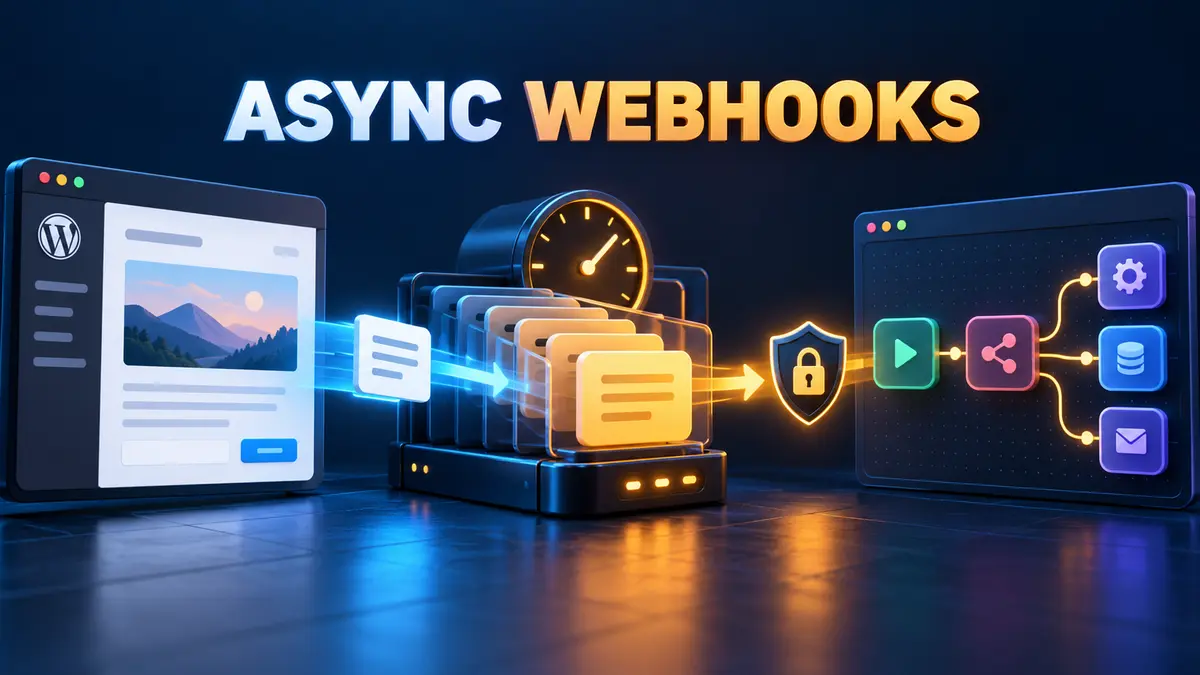
A WordPress hook that calls an n8n webhook directly can make the editor wait for DNS, TLS, the remote server, and the workflow response. Even if the webhook usually returns quickly, one slow network path can turn a routine publish into a spinner, timeout, or “Publishing failed” message.
The safer design is to keep the interactive request short: enqueue a durable background action, let WordPress finish the save, and have a queue worker deliver the webhook afterward. Action Scheduler provides a traceable WordPress job queue with an API, an administration screen, and per-action logs.
The blocking pattern and the queued pattern
| Pattern | Editor request | Failure visibility | Best use |
|---|---|---|---|
Direct wp_remote_post() |
Waits for the outbound request by default | Must be added to the save path | Short, noncritical calls where waiting is acceptable |
| Non-blocking HTTP flag | Returns without waiting for a response | Little confirmation that the receiver accepted the event | Best-effort notifications |
| Action Scheduler queue | Stores a job and lets the save complete | Pending, complete, failed, and log views | Production webhooks that need retries and auditability |
Action Scheduler is not WordPress core. It is commonly available through WooCommerce and some plugins, or it can be included as a library in your own plugin. Check that the API is loaded before enqueueing work.
What as_enqueue_async_action() actually promises
The official API describes as_enqueue_async_action() as enqueueing a one-time action to run “as soon as possible.” That is deliberately different from “run immediately.” The queue still needs a runner. On a typical site, Action Scheduler is driven by WP-Cron and asynchronous loopback requests; larger queues may be better served by WP-CLI.
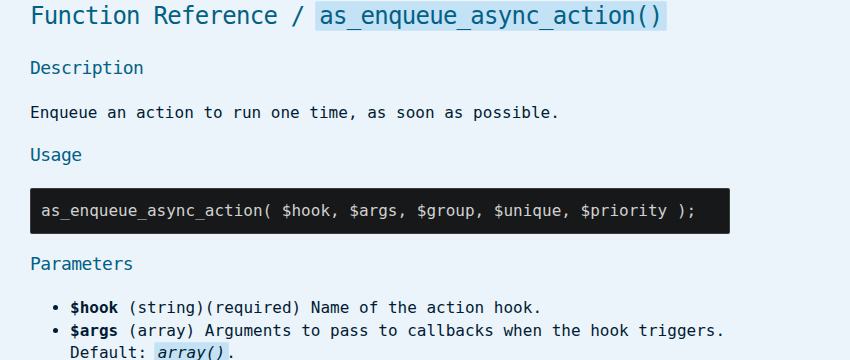
Use this distinction in both design and monitoring. The editor can return quickly after the job is stored, but actual delivery latency depends on traffic, loopback health, cron configuration, hosting limits, and queue load.
Build a minimal WordPress plugin
The following example queues a webhook only when a post first transitions to publish. It creates a deterministic event ID, uses a queue group for filtering, and asks Action Scheduler to avoid an identical pending action.
<?php
/**
 * Plugin Name: DevelopWhale Async n8n Dispatch
 */

add_action(
    'transition_post_status',
    'dw_queue_n8n_dispatch',
    10,
    3
);

function dw_queue_n8n_dispatch(
    $new_status,
    $old_status,
    $post
) {
    if (
        'publish' !== $new_status
        || 'publish' === $old_status
        || 'post' !== $post->post_type
    ) {
        return;
    }

    if (
        ! function_exists('as_enqueue_async_action')
        || ! did_action('action_scheduler_init')
    ) {
        error_log(
            'n8n dispatch not queued: '
            . 'Action Scheduler is unavailable'
        );
        return;
    }

    $event_id = hash_hmac(
        'sha256',
        $post->ID . '|' . $post->post_modified_gmt,
        wp_salt('nonce')
    );

    as_enqueue_async_action(
        'dw_send_post_to_n8n',
        array($post->ID, $event_id, 1),
        'developwhale',
        true
    );
}
The true argument requests a unique action. Uniqueness is useful for repeated hooks, but it is not a complete idempotency strategy. The receiver should also store and reject an already-processed event_id.
Deliver the webhook in the background
Register a callback for the queued hook. Keep the endpoint and shared secret outside the plugin source—for example, in environment-backed configuration—and never place them in logs.
add_action(
    'dw_send_post_to_n8n',
    'dw_send_post_to_n8n',
    10,
    3
);

function dw_send_post_to_n8n(
    $post_id,
    $event_id,
    $attempt
) {
    $endpoint = getenv('DW_N8N_WEBHOOK_URL');
    $secret   = getenv('DW_N8N_WEBHOOK_SECRET');

    if (! $endpoint || ! $secret) {
        throw new RuntimeException(
            'Webhook configuration is missing'
        );
    }

    $payload = array(
        'event_id'     => $event_id,
        'event_type'   => 'post.published',
        'post_id'      => (int) $post_id,
        'permalink'    => get_permalink($post_id),
        'published_at' => get_post_time(
            DATE_ATOM,
            true,
            $post_id
        ),
    );

    $body = wp_json_encode($payload);
    $signature = hash_hmac(
        'sha256',
        $body,
        $secret
    );

    $response = wp_safe_remote_post(
        $endpoint,
        array(
            'timeout' => 20,
            'headers' => array(
                'Content-Type' => 'application/json',
                'X-DW-Event-ID' => $event_id,
                'X-DW-Signature' => $signature,
            ),
            'body' => $body,
            'data_format' => 'body',
        )
    );

    $status = is_wp_error($response)
        ? 0
        : wp_remote_retrieve_response_code($response);

    if ($status < 200 || $status >= 300) {
        if ($attempt < 3) {
            $delay = min(
                900,
                60 * (2 ** ($attempt - 1))
            );

            as_schedule_single_action(
                time() + $delay,
                'dw_send_post_to_n8n',
                array(
                    $post_id,
                    $event_id,
                    $attempt + 1
                ),
                'developwhale',
                true
            );
        }

        throw new RuntimeException(
            'n8n webhook delivery failed; HTTP '
            . $status
        );
    }
}
This example treats every non-2xx response as a failed delivery and schedules at most two additional attempts with increasing delay. Tune the policy to the receiver: retry timeouts, connection failures, 429, and temporary 5xx responses; usually do not retry a permanent authentication or payload error without intervention.
Make the n8n side idempotent
Background delivery changes when the webhook runs, not the realities of distributed systems. A timeout can occur after n8n accepted the request, so WordPress may retry an event that n8n has already started.
- Use
X-DW-Event-IDas the idempotency key. - Store the key before any external side effect.
- If the key already exists, return a successful duplicate response without repeating the work.
- Verify the HMAC against the unchanged request body before trusting the payload.
- Keep secrets and full sensitive payloads out of execution logs.
Raw-body access varies by n8n version and webhook configuration, so verify the exact field in your deployment before enabling signature enforcement. Do not recreate the signature from a parsed and re-serialized object.
Observe and operate the queue
Action Scheduler’s administration screen lets operators filter actions by status and hook, run a pending action, and inspect log entries for a failure. Use a dedicated group such as developwhale so webhook jobs are easy to isolate.
- Watch the age of the oldest pending action, not only the number of failures.
- Alert when the queue runner has stopped or loopback tests fail.
- Record the event ID, action ID, attempt number, response class, and elapsed time.
- Do not log credentials, signatures, or unnecessary post content.
- For large or long-running queues, evaluate the official WP-CLI runner instead of relying only on web requests.
Common mistakes
Assuming “async” means instant
The API queues work as soon as possible; it does not guarantee zero-second dispatch. A low-traffic site with broken WP-Cron or blocked loopbacks can accumulate pending actions.
Queueing on every save
Autosaves, revisions, and repeated status transitions can create duplicate notifications. Filter post type and transition, use unique actions, and keep a receiver-side idempotency key.
Using update calls as the queue
Do not make a second synchronous HTTP call merely to confirm the first one. Let the background action own delivery, response checking, retries, and logging.
Ignoring permanent failures
A wrong URL, revoked secret, or invalid payload will not recover through blind retries. Limit attempts and expose the final failed action for review.
Production checklist
- Action Scheduler is installed and initialized.
- The publish hook excludes revisions and repeated transitions.
- The editor request only queues work.
- The webhook URL and secret are outside source control.
- The event has a stable idempotency key.
- n8n verifies the signature using the unchanged body.
- Retry rules distinguish temporary and permanent errors.
- Pending and failed actions are visible to operators.
- Loopback and WP-Cron health are monitored.
- The workflow is tested with n8n offline before production.
The practical boundary
Action Scheduler removes remote webhook latency from the WordPress editor path and gives delivery work a durable, inspectable home. It does not replace an external message broker, guarantee immediate execution, or make n8n processing exactly once. The reliable boundary is: enqueue quickly, deliver in the background, verify the receiver, retry deliberately, and make every side effect idempotent.
Official references: Action Scheduler API, Scheduled Actions administration, Action Scheduler WP-CLI runner, WordPress wp_safe_remote_post(), and WordPress loopback test.