
An n8n workflow that cannot connect to Supabase often looks like a simple port problem. It usually is not. The same symptoms can come from four different layers: the endpoint and username, the connection mode, the client’s use of prepared statements or session state, and the number of open connections. Switching from port 6543 to 5432 may hide one error while creating a capacity problem elsewhere.
This guide gives you a safer decision process. It focuses on Supabase’s shared pooler because it is the common choice when an n8n instance needs IPv4 connectivity, but the same diagnostic logic applies when you are deciding between a direct database connection and a pooler.
Short answer: for a long-running n8n instance, start with the exact Session pooler connection details copied from Supabase when direct IPv6 connectivity is unavailable. Use Transaction pooler only when short-lived, high-concurrency connections are the real requirement and every client feature you rely on is compatible with transaction pooling.
Do not diagnose the error from the port alone
Supabase currently documents several connection methods. A direct connection and shared session pooler commonly use port 5432, while the shared transaction pooler uses port 6543. That does not mean every address on 5432 is a direct connection. The hostname, username, and mode selected in the Supabase Connect dialog matter just as much as the port.
Copy the complete connection parameters from the dashboard rather than reconstructing a pooler hostname. Shared-pooler usernames also include the project reference, so reusing the plain postgres username from a direct connection can produce a tenant or user lookup failure.
| Symptom | Most likely layer | First check |
|---|---|---|
prepared statement or statement-name errors |
Transaction-pooler compatibility | Confirm whether the credential points to shared transaction mode on 6543 |
| Tenant, user, or authentication failure | Host/user combination | Copy the host and username together from the same Connect mode |
| Timeout or connection refused | Network, DNS, IP version, or SSL | Test reachability from the n8n host and confirm SSL is enabled |
too many connections |
Client and database capacity | Measure active connections before changing pooler modes |
| Session variables, advisory locks, or listeners disappear | Transaction-pooler semantics | Use session mode or a direct connection for session-level features |
Session mode and transaction mode solve different problems
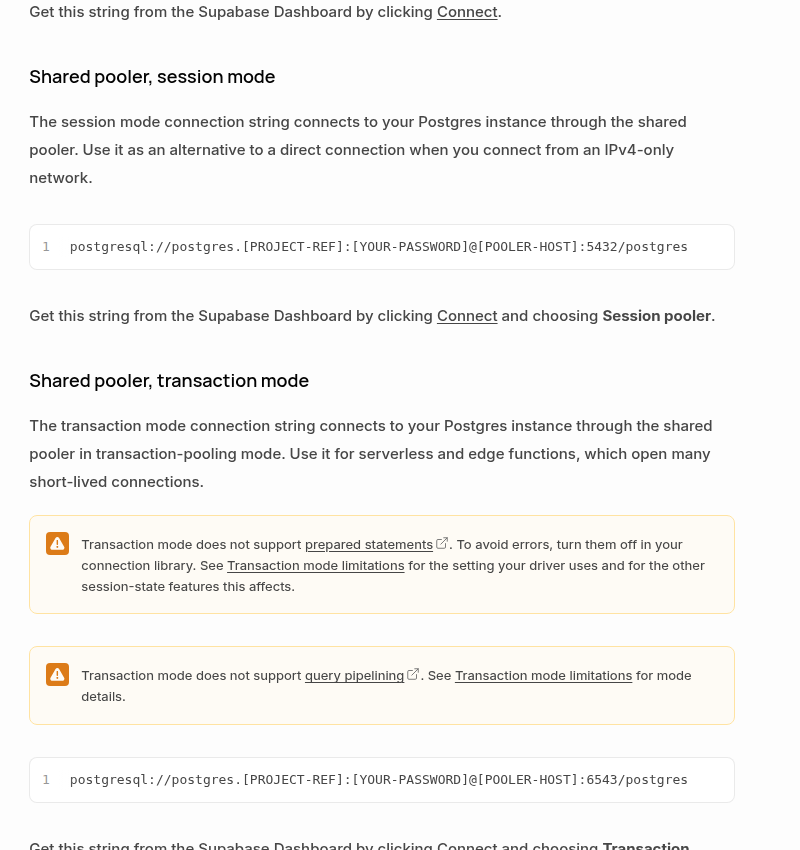
In session mode, one backend database connection stays associated with the client session. That makes it suitable for persistent services and for features that depend on session state. Supabase documents shared session mode on port 5432 and recommends it as an IPv4-capable alternative to a direct connection.
In transaction mode, the backend connection returns to the pool after each transaction. A later transaction may run on a different backend connection. This is efficient for serverless or edge workloads that open many short-lived connections, but it intentionally does not preserve session-level state between transactions. Supabase documents shared transaction mode on port 6543.
The distinction explains prepared-statement failures. PostgreSQL prepared statements are server-side objects that last only for the current database session. A transaction pooler cannot guarantee that the next transaction reaches the same backend session, so Supabase’s transaction mode does not support prepared statements. Turning off named prepared statements can make a compatible application work in transaction mode, but it does not restore other session features.
Choose the mode from the workload
| Workload | Preferred connection | Reason |
|---|---|---|
| Long-running self-hosted n8n on IPv6 | Direct connection, when practical | No pooler is in the path and normal PostgreSQL session behavior is preserved |
| Long-running n8n on an IPv4-only network | Shared pooler, session mode | IPv4 access with prepared statements and session features |
| Short-lived serverless workers with high connection churn | Shared pooler, transaction mode | Backend connections can be shared across many brief clients |
| Migrations, backups, restore tools, or session-sensitive maintenance | Direct connection | Native PostgreSQL commands and one stable session are expected |
Do not select transaction mode merely because it sounds more robust. It is a capacity strategy for connection churn, not a universal upgrade. Likewise, do not select session mode merely to silence a prepared-statement error without considering how many persistent n8n workers and concurrent executions will hold connections.
Configure the n8n credential safely
Create or edit a Postgres credential in n8n and transfer the values from one Supabase connection mode without mixing them:
- Open the Supabase project and choose Connect.
- Select either Session pooler or Transaction pooler.
- Copy the displayed host, database, username, password, and port into the n8n credential.
- Set n8n’s SSL option to Require. Supabase recommends encrypted connections. Do not enable Ignore SSL Issues as a routine fix; it weakens certificate validation and can conceal a trust-chain problem.
- Test the credential with a harmless query before reconnecting production workflows.
SELECT
  current_user,
  current_database(),
  inet_server_addr() AS server_address,
  inet_server_port() AS server_port;
This confirms the authenticated role and reachable server. It does not reliably reveal the pooler mode by itself, because the pooler routes the connection behind the endpoint. Treat the Supabase Connect selection and copied host/port pair as the source of truth.
n8n’s Postgres node supports query parameters such as $1, $2, and $3, and sanitizes values supplied through its Query Parameters option. That is good SQL-injection hygiene, but parameterized queries and named server-side prepared statements are not identical in every driver. If an error explicitly mentions a prepared statement, identify the component that creates it—n8n core, a community node, an ORM, or custom code—before applying driver-specific switches.
If you must use transaction mode
Verify all of these conditions:
- The client can disable prepared statements in the way its driver requires.
- The workflow does not depend on session-level
SETvalues between transactions. - It does not require
LISTEN/NOTIFY, session advisory locks, temporary tables across transactions, or a cursor that outlives its transaction. - Queries are valid inside transaction pooling and do not rely on query pipelining that the pooler does not support.
- The short-lived connection pattern actually benefits from shared backend capacity.
If you cannot determine whether a node or library creates named prepared statements, the conservative choice for a persistent n8n deployment is session mode. Avoid guessing at low-level driver flags that n8n does not expose in the credential UI.
Common fixes that create a second failure
Changing only the port: a port is not a complete connection profile. A shared-pooler host and username must be copied with that mode. Leaving the direct hostname in place while changing 5432 to 6543 does not magically select Supavisor.
Disabling SSL verification: this may make a certificate error disappear, but it does not fix an incorrect host, an expired trust store, or a network interceptor. Keep SSL required and resolve the certificate chain deliberately.
Increasing every pool: an application-side pool does not create more database capacity. If several n8n workers each open a large pool, the total can overwhelm the database or the server-side pooler. Calculate the aggregate across processes, not the setting on one worker.
Assuming all prepared queries are unsupported: transaction mode’s restriction concerns server-side prepared statements that depend on a persistent backend session. Continue to pass untrusted values through n8n’s Query Parameters field rather than interpolating them into SQL. Removing parameterization to avoid an error trades a connection problem for a security problem.
Treat connection exhaustion as a separate incident
A prepared-statement failure and a connection-limit failure need different remedies. Changing to session mode can fix the former but consume more dedicated backend connections. Changing to transaction mode can reduce backend pressure but break session features. Measure first.
With sufficient permissions, this query gives a useful snapshot:
SELECT
  usename,
  application_name,
  state,
  count(*) AS connections
FROM pg_stat_activity
WHERE datname = current_database()
GROUP BY usename, application_name, state
ORDER BY connections DESC;
Compare the result with the number of n8n main and worker processes, their execution concurrency, and any application-side pool settings. Supabase distinguishes client connections to the pooler from backend connections to Postgres, so one headline number may not describe the bottleneck. Look for idle connections that never close, execution bursts that exceed the configured pool, and multiple services each keeping their own default-size client pool.
n8n exposes Connection Timeout and Delay Closing Idle Connection options on Postgres operations. These can tune behavior, but raising a timeout is not a capacity fix. First decide whether connections are merely slow to obtain or truly exhausted.
A low-risk migration and rollback plan
- Record the current credential. Note the selected Supabase mode, host, user, port, and SSL setting. Never paste the password into logs or tickets.
- Create a controlled test workflow. Use one read-only query and run it several times, including concurrent executions if production is concurrent.
- Change one layer. Replace the complete host/user/port set from the chosen Connect mode. Do not combine a pooler host with a direct-connection username.
- Test session-sensitive behavior. If the workflow uses locks, listeners, temporary tables, or multi-step transactions, exercise those paths explicitly.
- Observe connections. Check Supabase metrics and
pg_stat_activityduring a representative load. - Roll out gradually. Move a small set of workflows first and keep the previous credential available for rollback.
Final verification checklist
- The host, username, and port all came from the same Supabase Connect mode.
- SSL is enabled in n8n.
- A read-only query succeeds repeatedly.
- Transaction mode is used only when prepared statements and session features are not required.
- Session mode has enough backend connection capacity for persistent n8n clients.
- Connection limits were measured instead of inferred from a timeout.
- The old credential and rollback path remain available until production load is stable.
The reliable fix is not “use 5432” or “use 6543.” It is to match the endpoint to the lifecycle of your n8n process, preserve the PostgreSQL features your workflows need, and size the connection path with evidence.